Settings matter a lot in Counter-Strike 2, so it’s no surprise that players pay close attention to them. One key part of CS2 settings is launch options, and today, the CS.MONEY Blog will talk about the best ones to use.
There’s a massive skin giveaway going on! The prize pool is $25,000 — click the banner and test your luck!

What are launch options?

Launch options are commands that run when you start the game. They help you enable or disable certain features before CS2 even opens.
Here’s how to set launch options in CS2:
- Open your Steam Library
- Right-click on Counter-Strike 2
- Choose “Properties…”
- In the new window, find the launch options field
- Type in your commands
- Press Enter, close the window, and launch CS2
Good vs. Bad Launch Options
All launch options fall into two big categories: useful and harmful.
There aren’t many truly useful ones — we’ll talk about those first. Sadly, there are tons of harmful or useless ones that players should stay away from.
Over the years, CS2 has built up a bunch of myths around “magic” launch options. We’re here to break those. But first, let’s look at the commands that are actually worth using.
Best CS2 Launch Options
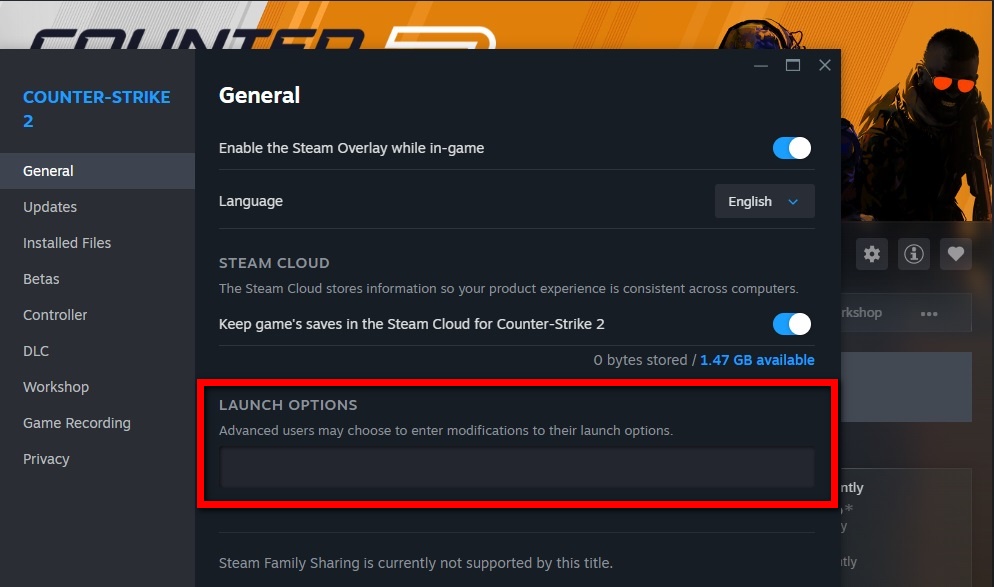
As mentioned earlier, there are very few launch options that actually help. With the release of CS2, Valve has tried to move everything into the game menu, so you don’t need launch options or console commands like before.
That’s why many pro players use no launch options at all — everything is handled in their config and saved settings.
Still, some options are seen now and then. Here are the best ones:
- -nojoy — disables controller support. Some players say this helps prevent crashes on FACEIT, and it can free up a bit of memory on low-end PCs.
- -console — enables the console on game launch. Super helpful for making quick changes or testing settings.
- -novid — removes the intro video. This skips the short logo animation at startup. It’s not a big deal, just saves time.
- -allow_third_party_software — lets you run apps like OBS with CS2. It might hurt your Trust Factor, but there’s no other way to stream.
Harmful Launch Options
Many players try random launch options hoping to get more FPS. Bad news: there is no magic command that gives you +999 FPS. It just doesn’t exist.
There are a lot of harmful options out there. We won’t list them all, but even commands that look harmless can cause problems.
For example, fps_max. If you set it to 0, it removes the FPS cap — but that’s not helpful. You’re better off leaving that command alone.
Other harmful options include anything that messes with system resources. Trying to manually set CPU threads or process priority usually makes things worse. And that’s not just our opinion — that comes from a Valve developer.
So, here’s the rule: if you don’t know exactly what a command does, and it’s not one of the four helpful ones above — don’t use it until you learn more.
Working with a Config
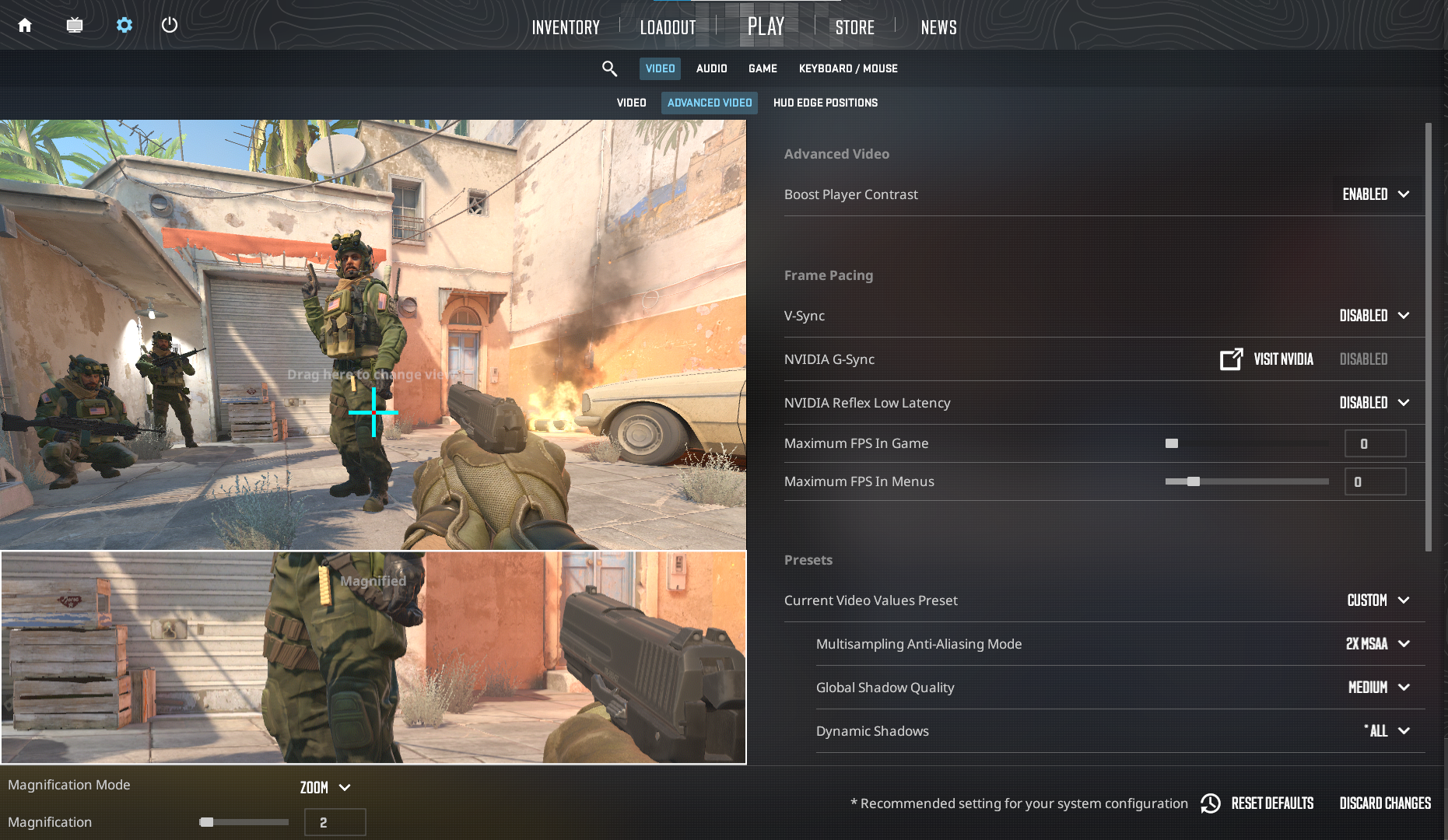
After going over helpful and harmful commands, here’s one more tip: put as many of your settings into a config file as possible. Valve made CS2 super customizable through the menu and configs.
The launch options field in Steam isn’t great — it’s small, hard to read, and annoying to scroll. The fewer launch options you use, the better.